Review Comments (0) Screenshots (4) Questions & Answers (0) Votes (0) Awards (2) Wiki  
PDF-Convert, Inc.
4.0
www.pdf-convert.com
Shareware
$38.00  Purchase
156 people
Download PPT to Image...

2.49 MBDownloaded 1572 times

This software was checked for viruses 5 months ago and was found to contain no viruses.
Click here to see antivirus report.
 

Review

This is official description

PPT to Image(Jpeg/Jpg/Tiff/Bmp/Eps/Ps) Converter V4.0 is the fast, easiest way to convert PowerPoint PPT document to professional-quality Jpeg/Jpg/Tiff/Bmp/Eps/Ps/PNG/PCX files format . Its easy-to-use interface allows you to create Jpeg/Jpg/Tiff/Bmp/Eps/Ps/PNG/PCX files by simply click the "Save as Image" button from MS PowerPoint, creating documents which can be viewed on any computer with a Image viewer.
PPT to Image(Jpeg/Jpg/Tiff/Bmp/Eps/Ps/PNG/PCX) Converter V4.0 lets you instantly convert Microsoft PowerPoint PPT documents into fully-formatted and professional-quality Jpeg/Jpg/Tiff/Bmp/Eps/Ps/PNG/PCX file format. Functioning as a plug-in to the applications that you use every day - Microsoft PowerPoint 2000 or higher. In PowerPoint 2007, it appears in the "Add-Ins" Quick Access Toolbar (QAT).
 
The following review written by one of the Software Informer contributors applies to version 2.0

The application converts instantly Microsoft PowerPoint presentations to JPEG, JPG, BMP, PNG, PCX, TIFF, EPS, PS files in a direct manner with a single click.

The application inserts itself into Microsoft PowerPoint program and it appears as a new toolbar with the apropriated commnads for converting PPT presentations to image files.

This software allows the user to convert PPT to a desired image file that can be displayed and viewed using almost any imaging program, so the visual information can be distributed to anybody.

High quality and resolution faxes can be created and sent including documents that are easily read on the other end, without any other imaging program.

After the conversion, Microsoft PowerPoint presentations can be displayed on any computer without MS PowerPoint installed.

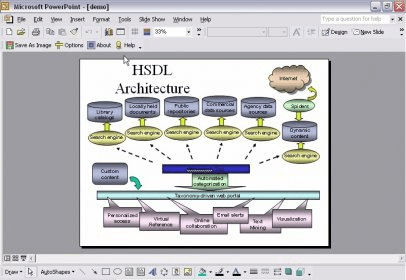
User runs MS PowerPoint program, opens an original PPT file or document, and then click on the "Save as Image" button in the new toolbar, selects the output image file format and the application will create an image file from the original PowerPoint presentation, preserving the file original layout.
  • Easy to use.
  • Appears as an MS PowerPoint extra toolbar.
  • Direct conversion with a click.
  • None.

Reviewed by: Ignacio Solves

Reviewer rating:

Reviewed: 3 years ago

What's new in version 4.0

PPT to Image(Jpeg/Jpg/Tiff/Bmp/Eps/Ps) Converter V4.0 is the fast, easiest way to convert PowerPoint PPT document to professional-quality Jpeg/Jpg/Tiff/Bmp/Eps/Ps/PNG/PCX files format . Its easy-to-use interface allows you to create Jpeg/Jpg/Tiff/Bmp/Eps/Ps/PNG/PCX files by simply click the "Save as Image" button from MS PowerPoint, creating documents which can be viewed on any computer with a Image viewer.
Report a wrong version Report a wrong program title Suggest a correction

Screenshots

Main window Main window Options window Options window Setup completing Setup completing Getting start Getting start

Latest comments


There are no comments, be the first one!
Add new comment

E-mail Address:

Password:

Register now »

Forgot password?

Sign in with:
Download Software Informer Client
Copyright © 2012, Informer Technologies, Inc. About| Privacy and terms| Help| Feedback & Support| Partners program